Short answer: Break line of sight and get out of the flashing search area. Then change whatever the police recognize. The red icons at the top right show whether that’s your clothes, your headwear and glasses or your car. A new outfit, a respray at a Pay ’n’ Spray or a different car clears them. Once every icon is white, the police no longer recognize you.
You learn this system in Unwanted Attention, the first story mission with a real chase. The steps below use the default PS5 controls.
Read the wanted stars and heat icons
- Stars show how hard the police are pushing. GTA 6 goes up to six stars. Gunfire and violence raise the level quickly, so don’t shoot at the police during a low-star chase.
- The search area is the flashing zone on the minimap. As long as you’re inside it, the police keep looking.
- The heat radius stays on the map after the police lose you. If they still recognize something about you, coming back into this area can start the chase again.
- The red icons at the top right show what the police remember: your outfit, your headwear and glasses, or your vehicle. An icon turns white once that detail is no longer known.
GTA Base also lists weapons, CCTV footage and a companion as things the police can recognize. Its guide was written before release, so treat those as unconfirmed until they appear in your game.
Get out of sight and out of the search area
- Leave the straight line. Take several turns in a row, cut through side streets or go off-road. Then use a long straight to pull away. In the first chase, this was enough to break away in the Phoenix.
- Stay out of view. The search area only shrinks once the police can’t see you. GTA Base notes that patrol cars no longer show on the minimap. The Focus ability reveals nearby officers, even through walls.
- Duck while you drive. Hold Circle in a vehicle to lean behind the wheel. That makes Jason or Lucia harder to recognize as you pass a patrol.
- Drive calmly once you’re clear. Speeding and crashes draw attention back to you.
Clear what the police recognize
Your vehicle
- Respray it at a Pay ’n’ Spray. In Unwanted Attention, the respray in Hamlet clears the vehicle icon.
- Swap cars. A different car the police haven’t seen works too. For big robberies, PowerPyx uses a fast motorcycle to get through traffic, then switches to another vehicle out of sight.
Headwear and glasses
- Hold L1 to open the item wheel.
- Press R1 to switch to headwear and glasses.
- Equip a different item with Cross. The icon turns white when the new look isn’t recognized.
Your outfit
Changing outfits is the fastest fix, according to VGC. Changing a single accessory may not be enough, so swap the whole outfit.
- Buy a new outfit at a clothing or gun store. In Unwanted Attention, Jason buys one next to Brian’s garage.
- Change at the safehouse wardrobe.
- Change from the trunk of your car. You first need to save outfits to that car in the safehouse menu. VGC notes that new clothes aren’t added automatically.
Clothes you take from other characters, such as a hat, aren’t stored until you return to the safehouse.
Before a big job
Big scores bring heavier responses. PowerPyx reports that a bank vault robbery triggers four stars immediately. Prepare before you start:
- Save a spare outfit to the car you’ll switch to.
- Park a second vehicle out of sight nearby.
- Know where the nearest Pay ’n’ Spray is.
- Hand in any marked cash as soon as you’re clear. Read how to earn money for where to launder it.
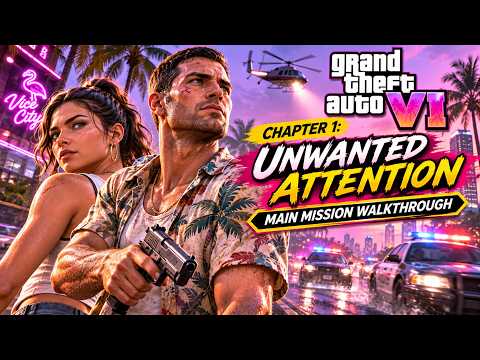
First police chase · Unwanted Attention at 7:50
Sources
- FP Good Game · impound escape at 7:50
The first chase in the story, the Pay ’n’ Spray and the outfit change that clears the heat at about 17:50.
- PowerPyx · Unwanted Attention
The heat radius, the red recognition icons, headwear and glasses on the item wheel, and ducking while driving.
- VGC · How to change clothes in GTA 6
Outfits at the safehouse, saving outfits to a car and clothing as the fastest way to lose heat.
- PowerPyx · GTA 6 Money Guide
The four-star response to bank vault robberies and the motorcycle-then-switch escape.
- GTA Base · Wanted level and police system
Six-star scale, star states, the six recognition types and the Focus ability. Written before release.